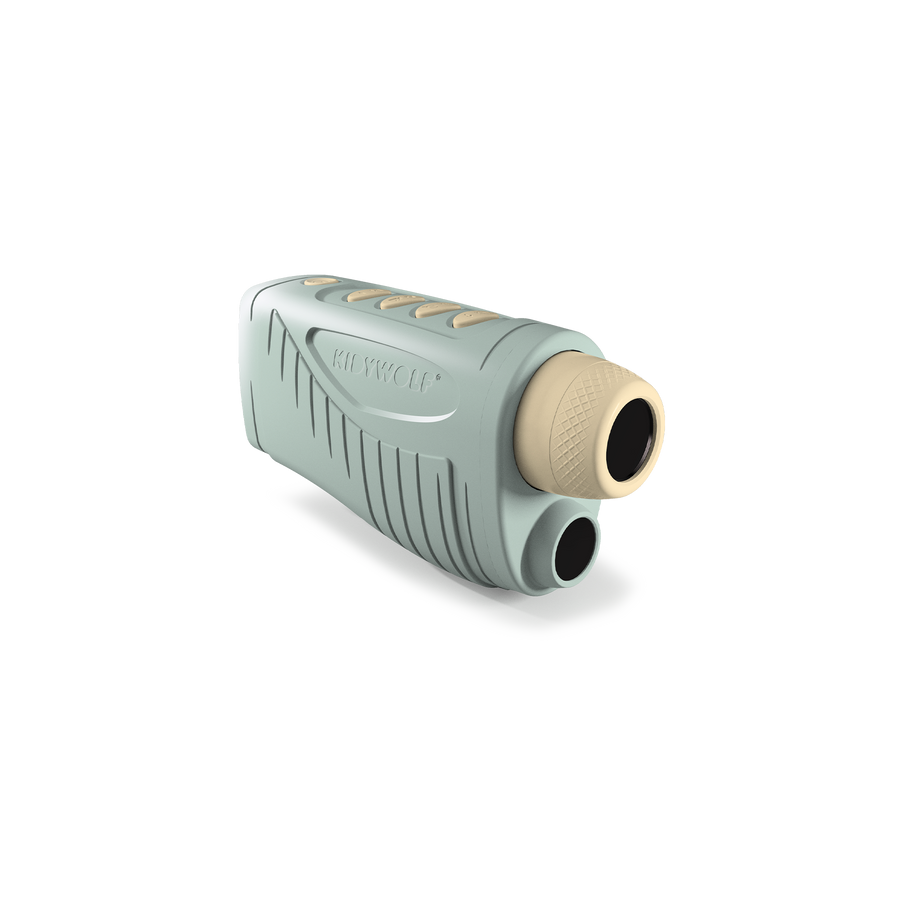
To get the most out of your KIDYVISION, you’ll need to adjust the focus before each observation. Simply turn the focus ring at the front of the device gently until the image is perfectly sharp.
💡 When using it for the first time, the mechanism may feel a little stiff. This is perfectly normal: feel free to apply a little pressure to engage the adjustment.
I can't seem to return to the original zoom level. How do I do that?
The KIDYVISION has several zoom levels. To return to the initial magnification, simply keep pressing the zoom button until the cycle restarts at the lowest level. After pressing the button several times in succession, you will automatically return to the starting zoom level.
My memory card isn't being recognised. What should I do?
To ensure optimal performance, your KIDYVISION is compatible with microSD cards:
Up to 128 GB maximum
Formatted to FAT32
If your card is not detected, we recommend that you check its capacity and file system.
What can you see with the KIDYVISION?
KIDYVISION has been designed to allow children to explore their surroundings even after the sun has set. Thanks to its infrared night vision technology, children can observe and record their discoveries day or night. KIDYVISION is ideal for:
Animals and insects
Plants and flowers
Landscapes
Distant objects
Night-time adventures
Can we take photos and videos?
Yes! The KIDYVISION makes it easy to capture your discoveries thanks to its photo and video functions. The files are saved directly to the microSD card (not included) so that they can then be viewed and shared on a computer.
Satisfied or refunded
All our products are guaranteed, and our after-sales service is accessible and attentive.
Secure payment
100% effective & certified method
Fast delivery
Delivery within 2 or 5 working days.
Free delivery
From €49 Mondial relay (Benelux-France)
Choosing a selection results in a full page refresh.